
Download YouTube thumbnail in 1080p quality and all available sizes without watermark. Perfect for recreating winning thumbnail designs and improve CTR.
YouTube thumbnail downloader is an online tool that allows you to extract and download thumbnail images from any YouTube video using its URL. These thumbnails are the preview images that represent a video and play a key role in attracting viewers.
With a youtube thumbnail downloader HD free tool, you can download thumbnails in all available qualities such as standard, high definition (HD), and even max resolution 1080p. This makes it useful for bloggers, designers, marketers, and content creators who want high-quality images for analysis or reuse.
This tool also works as a youtube thumbnail grabber, helping you quickly access thumbnail URLs and download them instantly without login or restrictions.
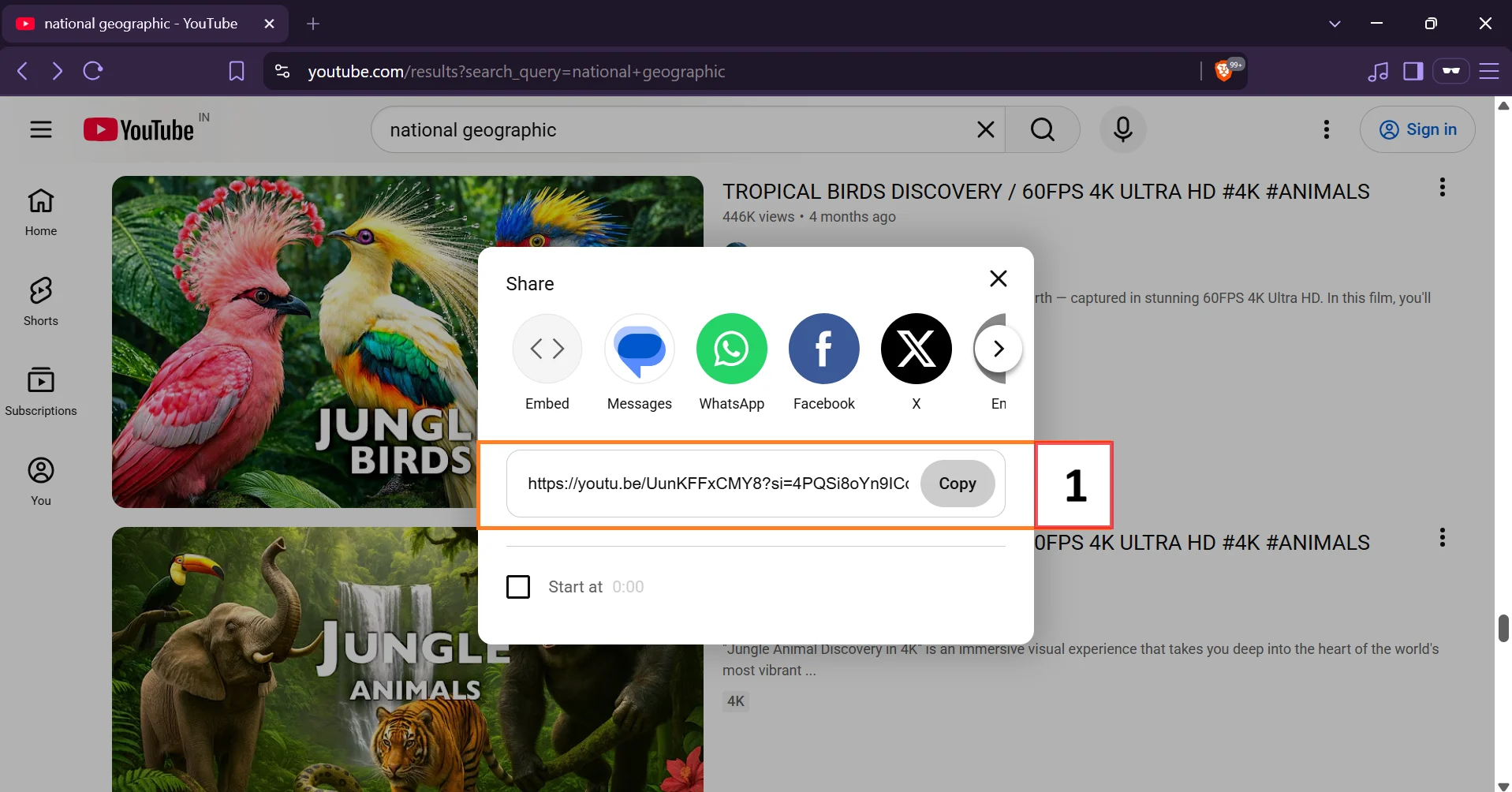
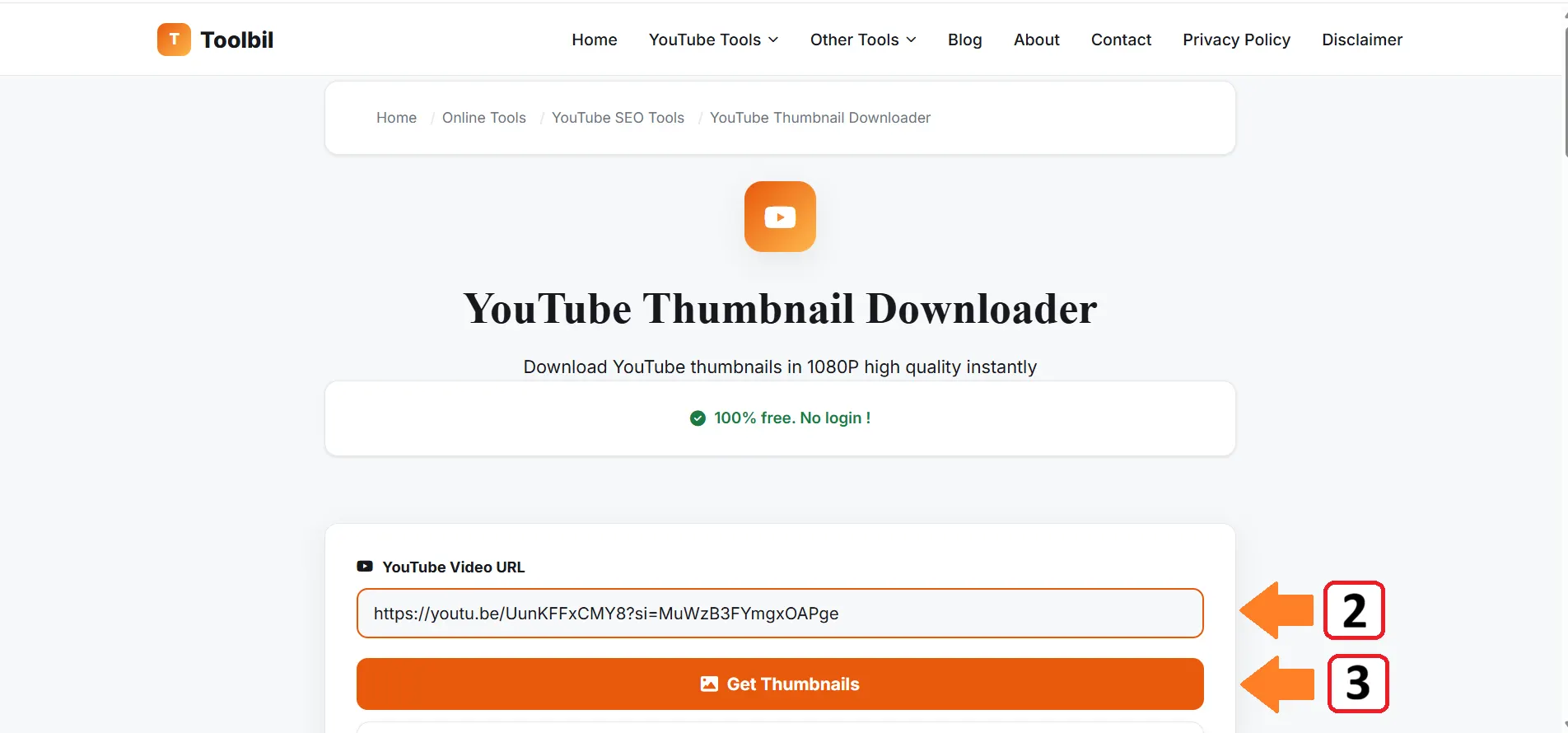
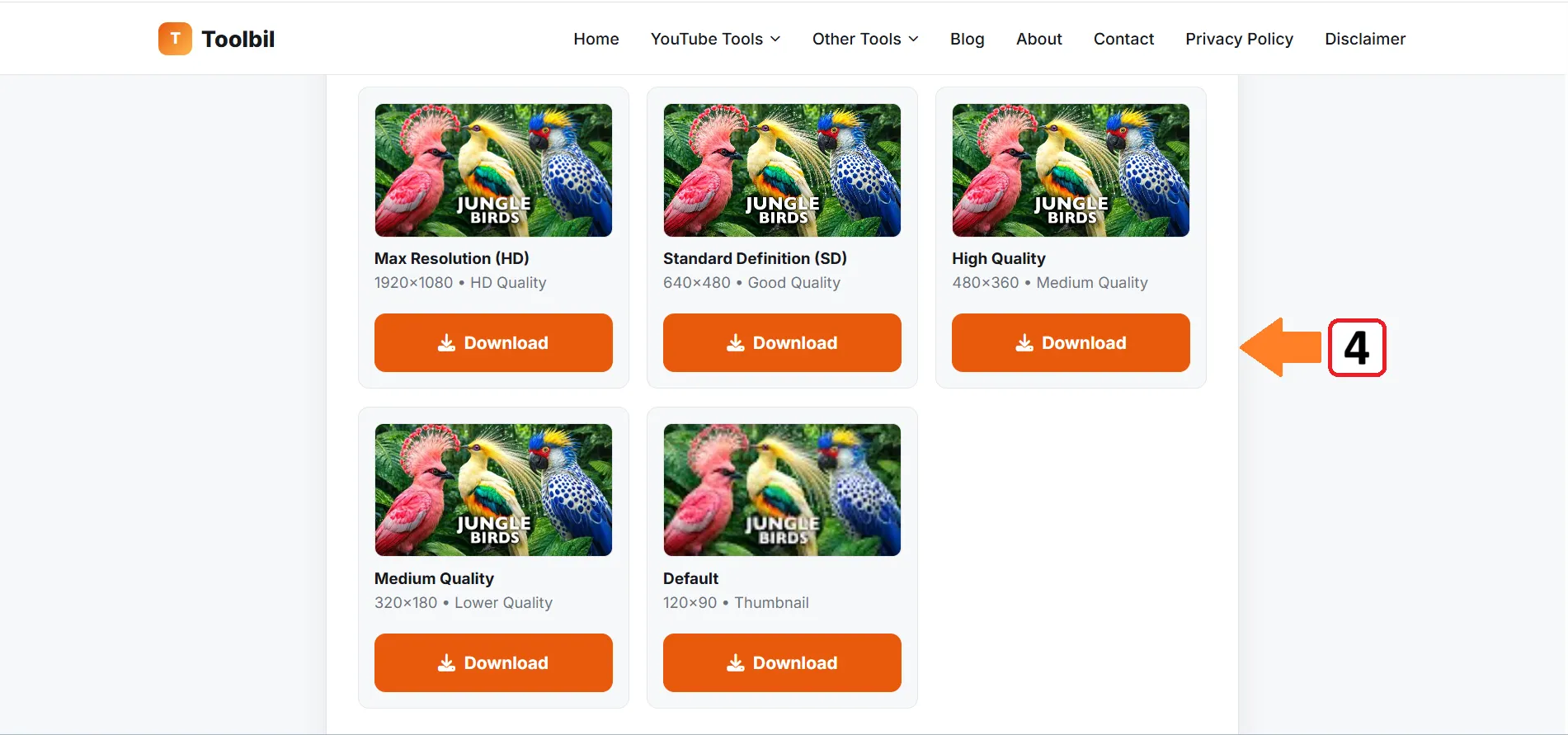
Note: Not all videos have all quality options. Newer and popular videos typically have 1920x1080 available.
Download thumbnails in the highest resolution available up to 1920×1080 straight from YouTube's own servers.
Get the original image exactly as uploaded no branding added, no account or signup required.
Paste any public YouTube video or Shorts URL and get every available thumbnail size instantly.
Paste the YouTube video URL into Toolbil's Thumbnail Downloader and click Download. The tool pulls the thumbnail in the highest resolution the creator uploaded, up to 1920×1080, ready to save instantly.
Yes. Enter the URL of any public video — yours, a competitor's, or one you're using for research and the tool retrieves its thumbnail directly from YouTube's public data.
Thumbnails download in the resolution the creator originally uploaded, up to a maximum of 1920×1080 (Max Res). If a video was uploaded at a lower resolution, that's the highest quality available for that thumbnail.
Yes. 100% free - no login, signup, or payment required. There's no limit on how many thumbnails you can download.
No. You get the original image file exactly as the creator uploaded it - no watermark, no branding added.
Studying thumbnails from top-performing videos in your niche helps you understand what's driving clicks colors, text placement, facial expressions — so you can apply those patterns to your own designs.
Yes. Paste any Shorts URL the same way you would a standard video URL, and the tool retrieves its thumbnail image.
Yes. It runs entirely in your browser on desktop, tablet, or mobile - no app, extension, or login required.
Thumbnails download as standard JPG image files, the same format YouTube stores and serves them in.
Downloading a thumbnail for personal reference or research is fine. Reusing someone else's thumbnail image publicly may raise copyright concerns use it for inspiration and study, not direct reuse.
No. Video URLs you enter are not stored — all processing happens in real time only.